Know what's next.
Appointments and everyday to-dos belong in the same picture. Start with a clear view, not a scavenger hunt through different lists.
The appointments, the little tasks, the “did anyone remember?” moments. ClicknDo is being built to bring them into one clear, colourful place.
See the appA first look at ClicknDo. Currently in development.
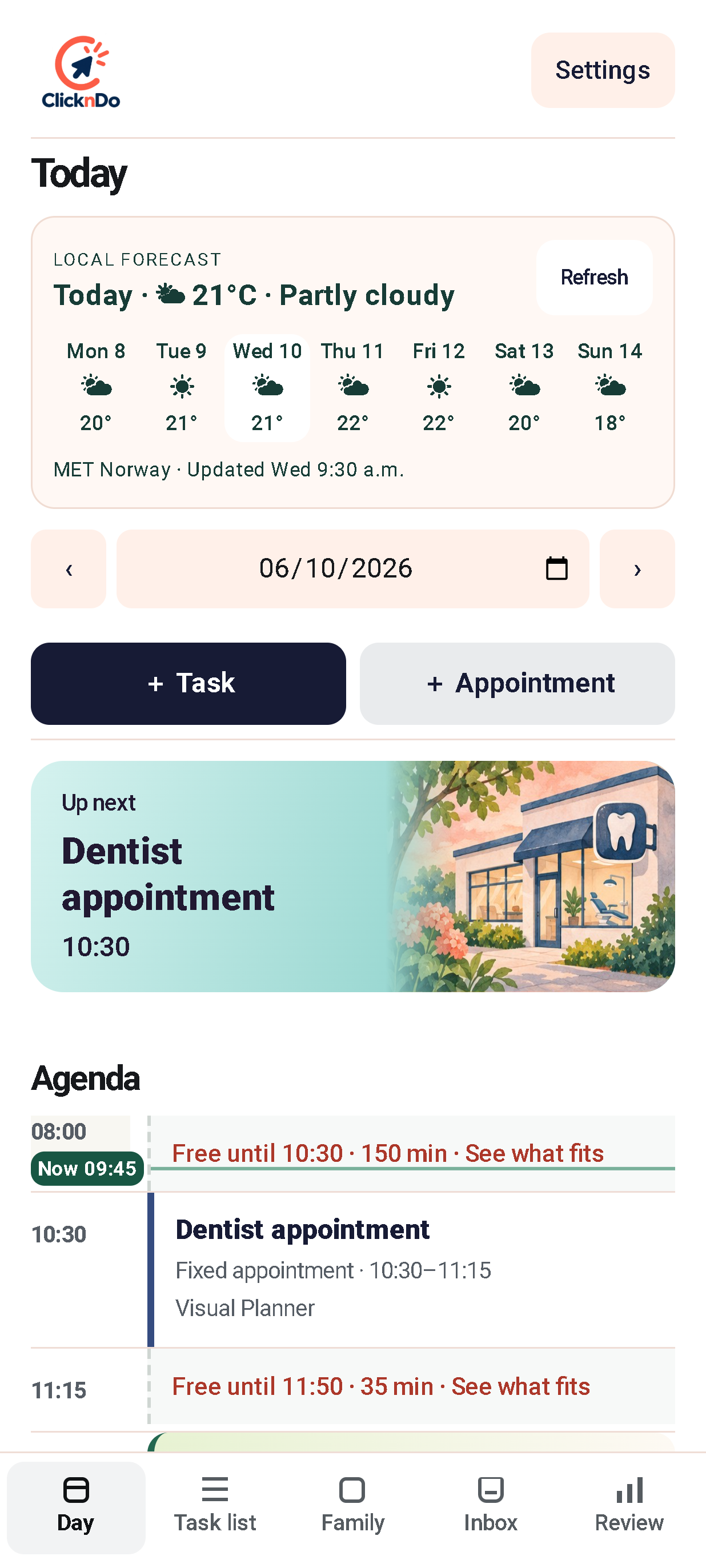
ACTUAL APP · DEVELOPMENT BUILD
Neither should your planner. Our goal is a calmer view of everything that matters, without another complicated system to maintain.
Appointments and everyday to-dos belong in the same picture. Start with a clear view, not a scavenger hunt through different lists.
We're designing shared planning around real households: clear responsibilities, selected sharing and less back-and-forth.
The permission slip. The bin night. The thing you remembered halfway through dinner. A place for the details that make a day work.
A look inside the app as it takes shape. These are actual development-build screenshots supplied by the ClicknDo team.
The forecast, what's coming up and the day's agenda, together in the Day view.
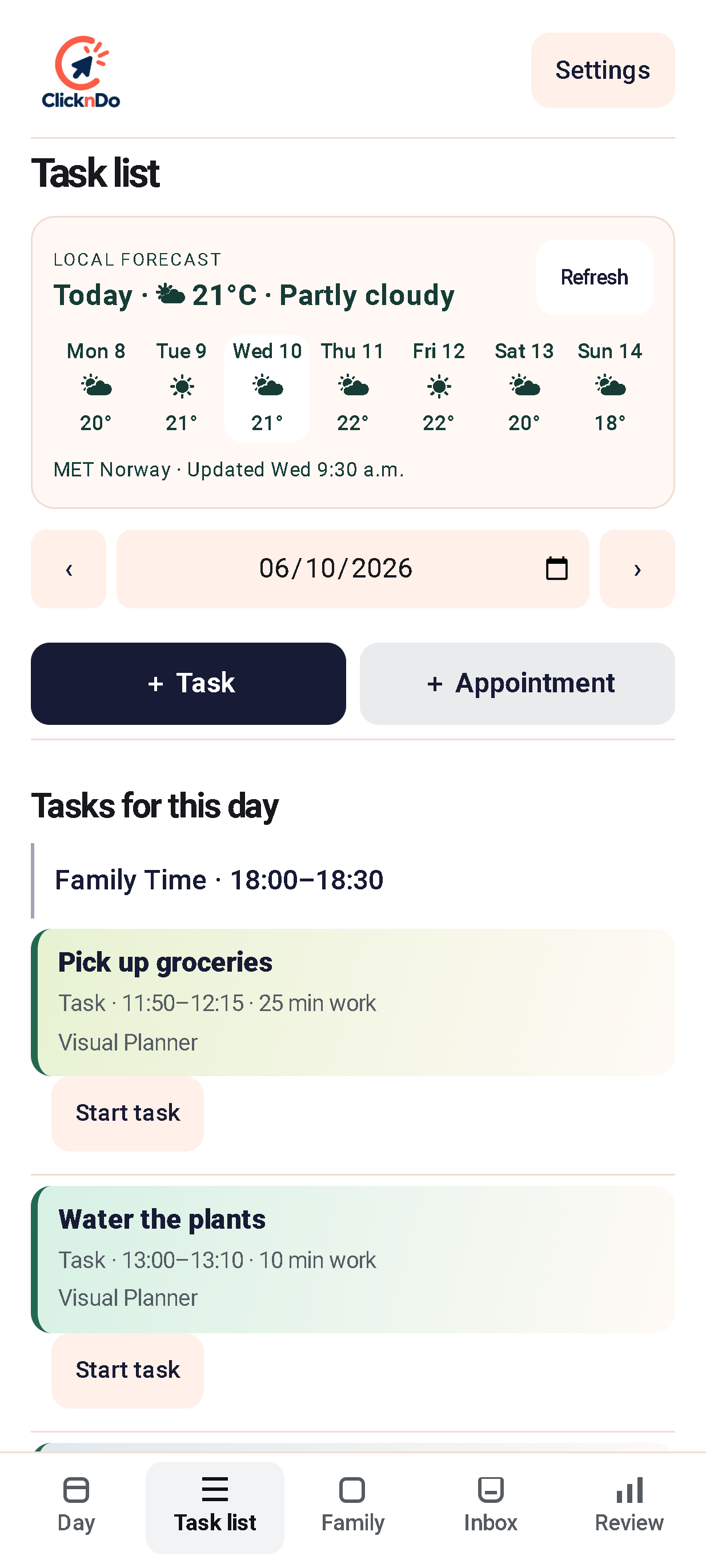
A dedicated task list makes room for everyday jobs alongside the bigger plans.
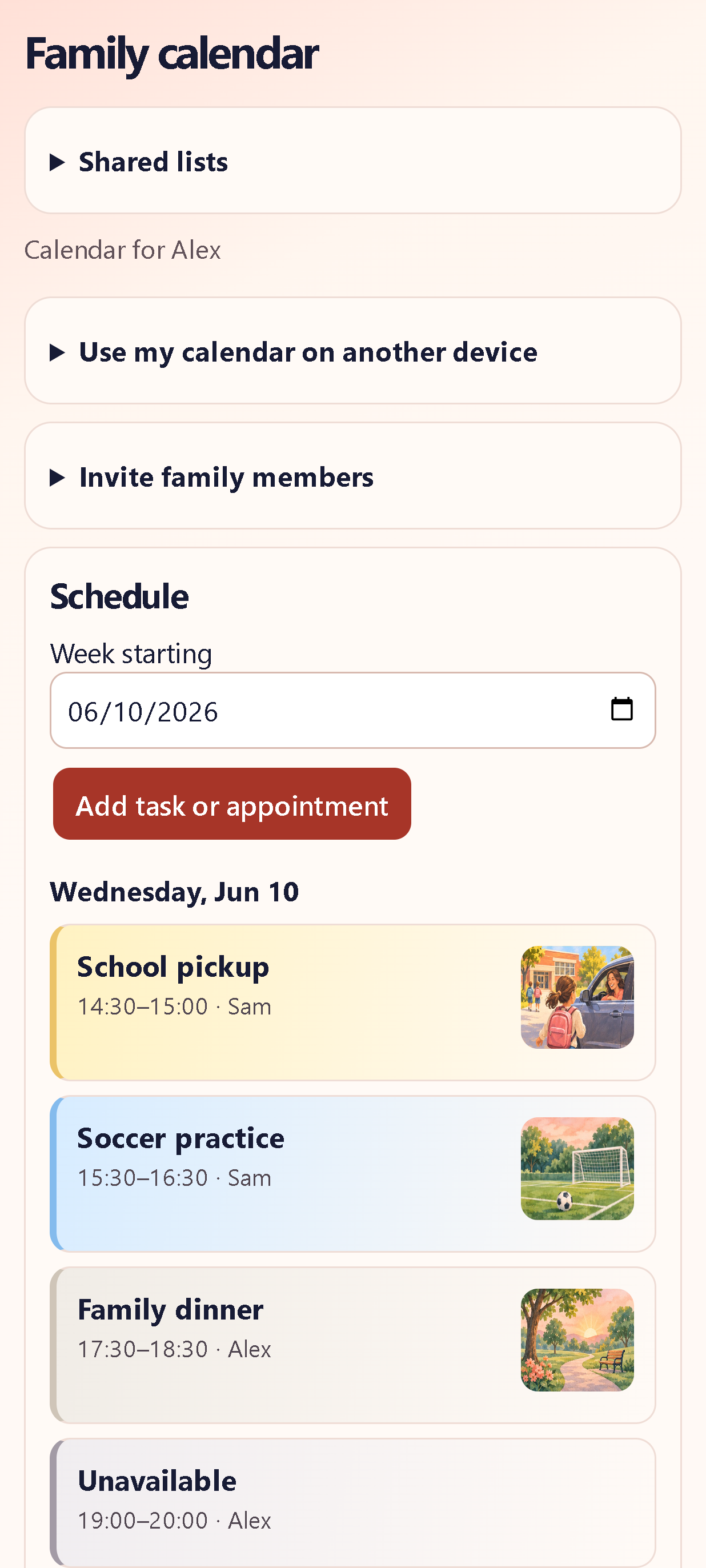
The Family calendar brings household plans into one view, with names alongside each activity.
Actual development-build screenshots with example content. The interface is still evolving. Select any screen to view it full-size. The interactive example below is a separate website demo, not the app.
Try this little concept preview. Switch views and tick something off. Simple, satisfying, and easy to scan.
Illustrative demo only. Sample tasks reset when you reload; nothing is saved or connected to your calendar.
Seeing the plan is only the beginning. We're exploring ways to make the next step easier, too.
Planned and exploratory features. These are product directions, not promises of availability at launch.
Travel context and leave-time reminders that help turn a calendar entry into a practical plan.
Keep Zoom and Teams meeting links close to the event, so joining can be a simpler next step.
Recurring household routines, calendar connections and, further ahead, a connection with SRSEE.
We're bringing ClicknDo to life. This is an early look at the direction, not a public app release.
Not from this preview. The app is in development, and a public release date has not been announced here. There is no signup or download required to explore this website.
The hero and the three screens in “Inside ClicknDo” are actual development-build screenshots supplied by the team. The interactive checklist is a separate illustrative website demo. ClicknDo is still in development, and these screens do not mean the app is publicly released.
That is a future direction being explored. The idea is for ClicknDo to organise plans and SRSEE to help you work with them. No live integration is being offered in this preview.